Add a shader or effect
Use an ISF shader to shape a layer or the change between scenes.
Why use it
One well-chosen effect can tie very different clips into the same look.
Do this
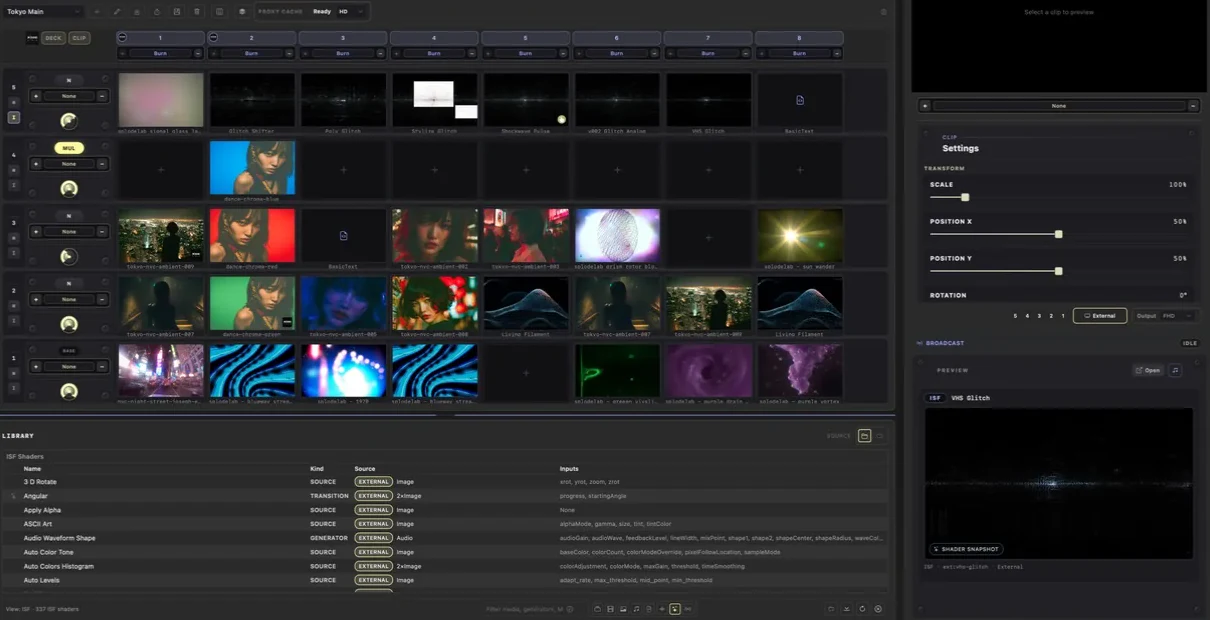
- 01Show ISF Shaders in the Library and choose one.
- 02Use + on a layer to choose an IMG shader. It affects every clip playing on that layer.
- 03Put an ISF source shader in a grid cell when you want the shader itself to be the clip.
- 04Use + under a stack for a transition shader.
- 05Fine-tune the selected shader in Inspector.