Launch changes on the beat
Use Quantise to hold a clip or stack until the next musical boundary.
Why use it
Keep the current look playing until the beat, bar or phrase where the next change belongs.
Do this
- 01Choose the Clock that follows your music. Set Meter to match the number of beats in each bar.
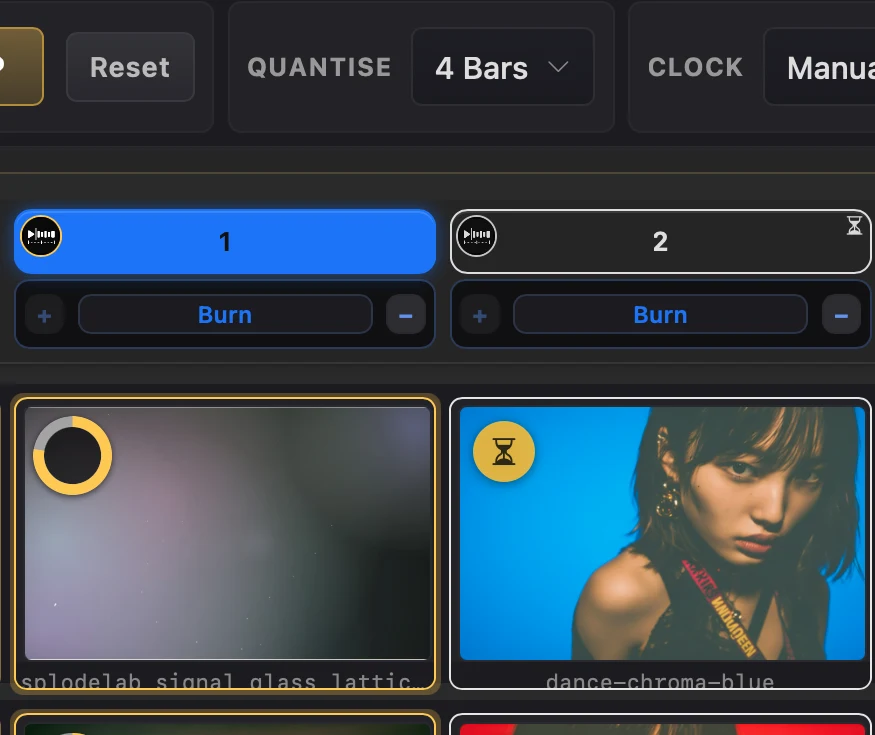
- 02Choose Quantise: 1/16, 1/8 or 1/4 for fast changes, or 1 Bar, 2 Bars or 4 Bars for longer phrases.
- 03Click a clip or a numbered stack. The current look keeps playing while hourglasses mark what is waiting.
- 04At the next selected boundary, the queued clip starts or every included layer in the queued stack changes together.