Warp a movie clip to the beat
Mark visual moments in a movie, then rearrange, reverse or stutter them on the beat.
Why use it
Use this to turn one movie into your own rhythmic phrase, from a few clean cuts to a wild, extended pattern.
Do this
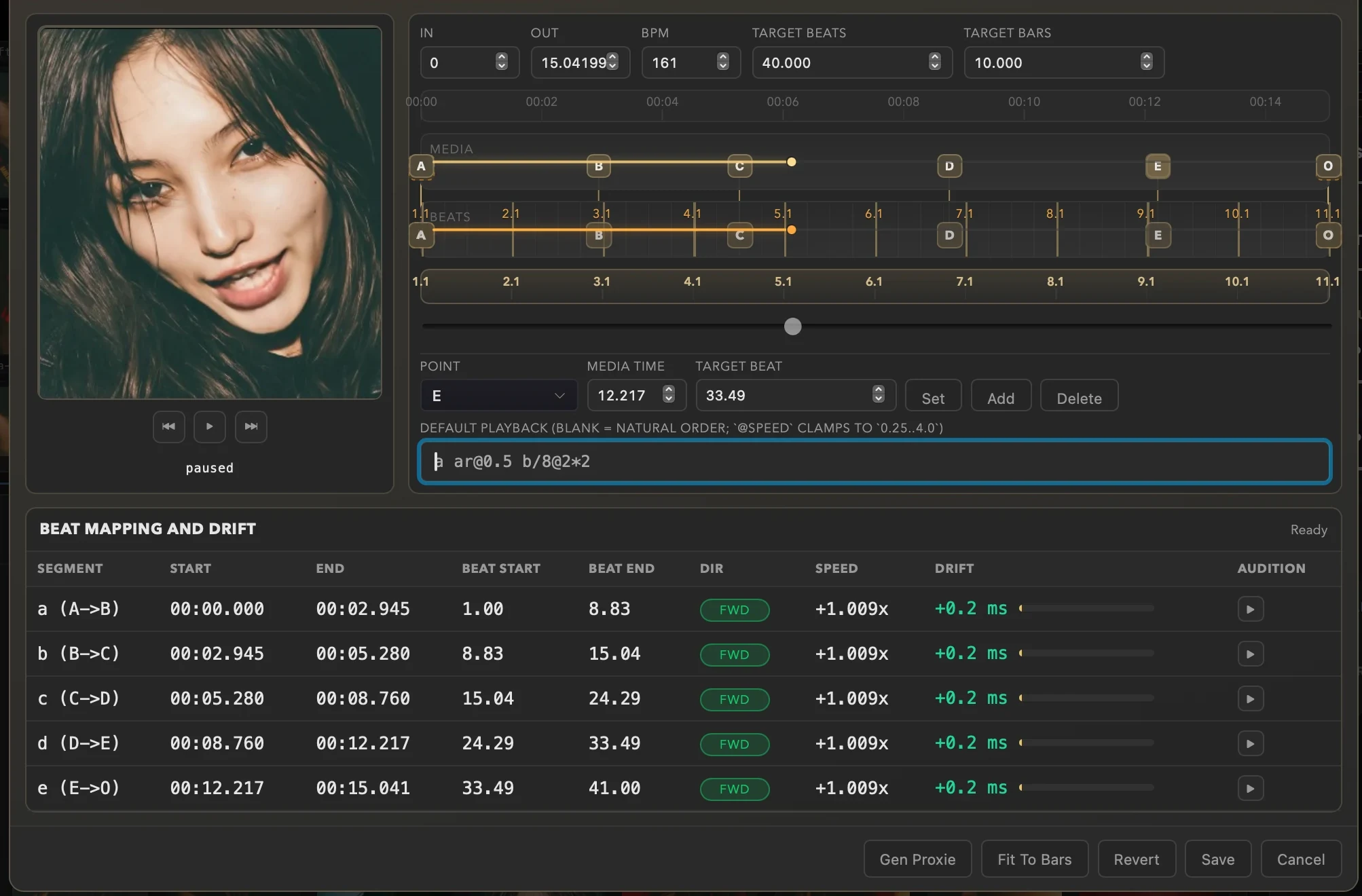
- 01Put a movie in the deck. Shift-click its cell to inspect it without triggering playback, then choose Edit Warp in Inspector.
- 02Set In and Out around the visual phrase you want to work with. Enter the BPM you are performing at, then use Target Beats or Target Bars to choose how much musical space the phrase fills. Fit To Bars gives you a whole-bar starting map.
- 03Scrub to every transition, pose, flash, camera move or frame you want to chop on and choose Add. Set each anchor's Target Beat to place that visual moment on the beat; Set moves the selected anchor to the playhead.
- 04Build your Default Playback pattern from the resulting segments. Reorder them, repeat a favourite cut, reverse one, compress it into a stutter, or string the pieces into a much longer sequence.
- 05Preview the complete pattern, then use Beat Mapping and Drift and the Audition buttons to check individual segments. When the mapping says Ready, choose Save. The waveform badge marks this clip's Warp; its settings follow the clip when you move or copy it.
Basic playback syntax
Every visual section between two anchors becomes a lowercase segment token: a is A to B, b is B to C, and c is C to D. Leave Default Playback blank to run the available sections in natural order.
a / ar- Play segment a forward or in reverse.
a/4, a/8, a/16- Fit the whole segment into one beat, half a beat or a quarter-beat.
a@2, a@0.5- Play at twice speed or half speed.
a*4- Repeat segment a four times.
a b c d- Play a straight four-segment phrase.
a ar- Make a forward-and-reverse ping-pong loop.
b/16@2*4- Make a fast four-hit stutter fill from segment b.
a b c c/8*2 dr- Run the phrase, stutter the third cut, then play the last cut in reverse.