Get something on screen
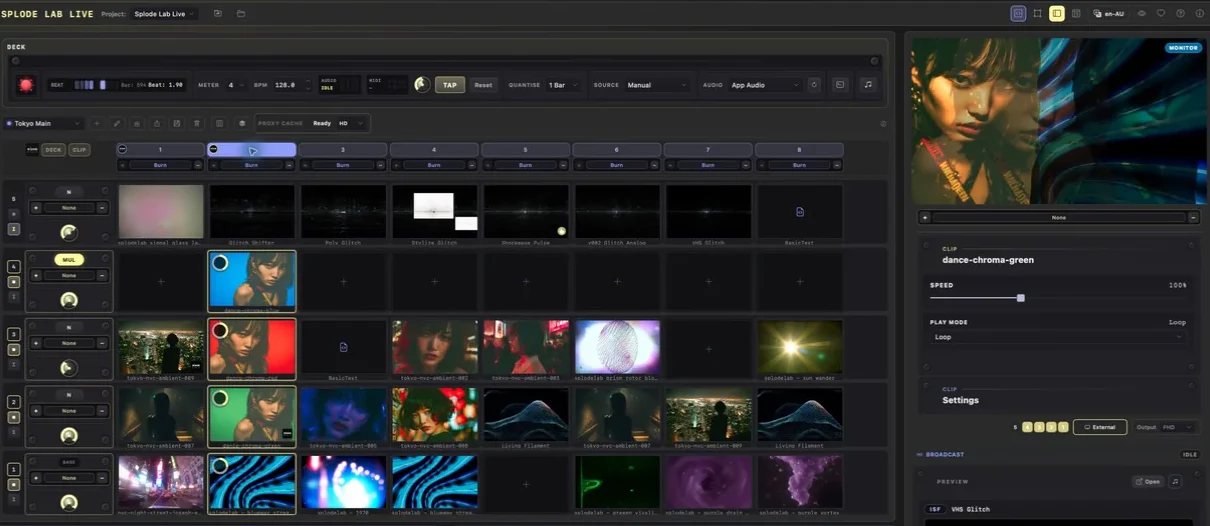
Put one visual in the deck and see it in the Monitor.
Why use it
Use this once there is something in your Library that you want to play.
Do this
- 01Find a video, image, shader, MilkDrop preset or generator in the Library.
- 02Drag it into an empty deck cell. You can also select it, then use the + on a cell.
- 03Click the new cell to play it.
- 04Use External under the Monitor when you want a separate output window.